Picture

Picture

Tuesday, November 29, 2011

Technology & Genealogy: A Few Thoughts From My Readers

MP900437370 A few weeks ago I ran a contest to give my readers a chance to win a free registration to RootsTech 2012 Conference.  But in order to enter, they had to answer the following question:

Besides access to records online, what one tech-thing has helped you the most with your genealogy research and how has it helped you?

There were some interesting answers and I’ve received permission to share a few of the responses.  You can also read the winner’s response here.

From Susan Kitchens
Family Oral History Using Digital Tools (http://familyoralhistory.us)

The one thing that's helped me the most is an old removable CD-burning disk drive (I think they call it a CD disk writer) and its accompanying software.

How has it helped?

I got it in the fall of 2000, when I had 6 cassette tapes that I'd recorded with my grandfather at the beginning of the year. I bought the drive so I could burn data CDs (my laptop had a CD-reading drive, but this was in the days when a portable CD-writer was in the early early adopter phase, and I didn't have the budget to be an adopter).

The CD drive and its accompanying software turned out to play a pivotal role in my pursuit of family history. I had six cassette tapes I'd recorded in January 2000 when I visited my grandfather. We recorded conversations about family history. The tapes sat around on a shelf in my mental sphere of Good Intentions Not Yet Acted Upon. My uncle had told me to "get those tapes with Grandpa typed up,"but I wouldn't let them out of my sight as long as they were my only originals. Once my new CD Burner showed up, the box of software came with a small application that would make it possible to create audio CDs from your phonograph or cassette tape collection. Hey, now I had all I needed to make a copy of those tapes so I could get them "typed up!"

It was early December, 2000, during the time that California had rolling blackouts during the Enron price-trading rip off of California utility customers. (I remember because in order to create audio for CD, I had to optimize the disk drive with all contiguous free space -- any blips or blocks in the free space would ruin the digitizing of audio. When optimizing disk drive for space, if the power went out, there'd be data loss.) Anyway, it was that process of burning the CD of my talks with Grandpa that set me on the process of recording family stories.

Do I use the drive nowadays? Nope. It's obsolete, now, mostly. Still amid the equipment I have around here, but I don't use it. I should fire it up one last time, maybe . Heading for the recycling bin.

From Deborah Campisano

The tech-thingy that has helped the most on my genealogical journey just has to be my genealogy software program. I use a couple of different ones for different projects now, but started many, many years ago with PAF -- Personal Ancestral File. I've been at this genealogy research quest for over 30 years now and genealogy software has helped tremendously in areas of organization and being able to "see the big picture" as far as figuring out which of five John Cundiffs belonged to a particular family. In the early years before the ability to attach GEDCOM files or Family Group Sheets to emails (heck! We didn't even HAVE email!) we would generate charts and FGSs using the software and SNAIL MAIL them to each other. Later we would generate a GEDCOM and save it on a floppy disc and then MERGE our work together.

With the new advances in genealogical software programming, I can easily update a family group with carefully crafted citations, create a chart and post on-line or save an entire family line to attach to an email for cousins many miles away to assess, correct and add their own updates. My genealogy software programs have been a blessing (and a curse at times!) but pieces of technology I would never do without!

From Julliana Lund

My answer is really two rolled into one. Recently I have been focusing my research on my husband's family from Denmark...but I don't speak Danish! So, I have used the Google Translate gadget on my homepage to help me with all the words I don't understand. But sometimes, I can't even read the words well enough to type it into the translator. That's when I go to the FamilySearch Forums for Denmark. I have received so much help in not only translating the records but explanations of historical events or laws that really explain what is going on.


Share/Bookmark

Friday, November 25, 2011

Friday Finds – 11/25/11

Weekly column sharing genealogy-related things that I’ve found.

New-to-Me Blogs

Online Articles/Posts

Print Articles

  • “Getting Family History Information Through the Back Door,” by Jean Wilcox Hibben, NGS Magazine, Oct-Dec 2011.
  • “Name Dropping,” by David A. Fryxell, Family Tree Magazine, January 2012.
  • “Using Manuscripts to Create a Family History,” by Laura Prescott, NGS Magazine, Jan-Mar 2007.

Websites


Share/Bookmark

Monday, November 21, 2011

Flip-Pal™ Simple Gifts Blog Hop – Family Tree Photo Collage

A few years ago, my husband got me a really neat Christmas gift, a family tree figurine with little hanging frames for family photos and a place to have it engraved.  As a budding genealogist at the time, this was certainly a thoughtful gift.  But, and I hate to admit this, I never actually replaced the photos with my own family photos, until the other day.

It’s not that I didn’t have the desire or the tools to do it, life just got in the way.  What’s funny is that because I had to find to simple gifts for this blog hop, I committed myself to getting the family tree filled with MY family photos once and for all…and it didn’t take very much of my time to do it, so why it took me nearly two years to get around to it, I’ll never know.

While this was really a gift for me, it’s certainly something you could do for your relatives.  There are many variations of the family tree photo collage and many are relatively inexpensive.  Then all you need to do is scan some photos, use photo-editing software to resize the photos to fit the frame sizes, print them out on photo paper, cut them out, and place them in the frames.  In just a few hours, you’ll have a nice, customized gift for your loved ones.

Here are a few more examples from Amazon and a link to the one my husband got me from Things Remembered. (None of these are affiliate links.)


Share/Bookmark

Saturday, November 19, 2011

Winner! RootsTech 2012 Registration

I am very pleased to announce Doug Williams as the winner of the RootsTech 2012 free registration giveaway that was hosted here on GenBlog.  I asked entrants to answer the following question:  Besides access to records online, what one tech-thing has helped you the most with your genealogy research and how has it helped you?

There were some great responses and I even learned a few things that sparked some of my own ideas.  I will share a few of the responses within the next few days.  But here is Doug’s answer:

My Motorola Xoom is my favorite new research tool. I use it when I go to a repository instead of lugging along my heavy older 17" laptop computer. The Xoom is great for taking pictures of book pages, microfilm reader screens, and spines of multi-volume books on the shelf. I use the wireless connection to access Google Docs where I transcribe information and access research logs. I'm transcribing the church records of a German Lutheran congregation in Western New York where 4 generations of my family attended, and when I'm having trouble reading the German script and the handwriting I use the camera to zoom in and help decipher the information. I shoot the pic, zoom in, and when I'm done with the problem text I simply delete the photo.   The next app I need to download is Families so I can bring along my Legacy Family Tree! 

I have not investigated tablets in a long time (since they first came out and the company I worked for was evaluating them).  But after reading Doug’s response, I think I’m going to explore them again.

Congratulations, Doug!!  Look forward to seeing you in SLC in February!


Don’t forget, you can still register for RootsTech 2012, and if you register by November 30, 2011, you’ll save $60 on the full-conference registration fee, so don’t delay…head over and register now!!


Share/Bookmark

Friday, November 18, 2011

Friday Finds – 11/18/11

Weekly column sharing genealogy-related things that I’ve found.

New-to-Me Blogs

Online Articles/Posts

Print Articles

  • “From Books to Battle: Charles Hovey Put Illinois State in the Civil War Annals,” Illinois State, November 2011.  You can read the article online here.
  • “Case Study: Finding a Daughter for Amy,” Myra Vanderpool Gromley, NGS Magazine, January/February 2007.
  • “Case Study: Finding Parents for Harry,” Helen Shaw, NGS Magazine, January/February 2007.

Websites


Share/Bookmark

Thursday, November 17, 2011

Free RootsTech 2012 Registration…Still Time to Enter!

Don’t forget, I’m holding a drawing for a free RootsTech 2012 Conference registration.  You have until tomorrow (Friday, November 18th) to enter. 

Details and entry instructions are available in my previous post:  You’ve Come to the Right Place…Enter to Win a Free RootsTech 2012 Registration.

You can’t win if you don’t enter!!


Share/Bookmark

Wednesday, November 16, 2011

Flip-Pal™ Simple Gifts Blog Hop – Digital Scrapbook

P1020990 Like many of us, I have several photo albums where the photos are helplessly stuck to the pages.  Removing them can damage the photos and trying to scan a giant (not to mention heavy and awkward) album on a flatbed scanner is difficult and time-consuming. 

Thus the beauty of the Flip-Pal™ Mobile Scanner.  All you have to do is lay it over a photo, scan, and move onto the next.  I did an entire photo album in about an hour, while sitting in my recliner watching TV (30 pages, double-sided, 6 photos per leaf…that’s 360 photos!!!).  Sure beat trying to maneuver the album on a flatbed scanner, which I tried to do several years ago and gave up. 

Yuck!  Look at that nasty glue!!  These photos will never come out in one piece…
believe me, I’ve tried all the tricks.

I was also able to scan my parents wedding album, where the photos are fixed between the the mattes that make the page.  It took about 15 minutes to do the entire album.  And I have other albums and scrapbooks that I will be working on in the near future.

P1020995

One of the things I’ve been wanting to do is create a digital scrapbook for my mom.  I made a photo album/scrapbook for her 50th birthday several years ago.  At the time I was young and naive (not doing genealogy, nor understanding the concept of preserving family artifacts) and of course used original photos, a non-archival photo album, tape, stickers…you get the idea.  It was very unorganized, some people weren’t identified, and I even put in a group photo from my dad’s 7th grade class thinking it was mom’s.  So now that I know much more about her side of the family, I thought it would be nice to create a new and improved scrapbook, of the digital kind, and incorporate some of the family history this time around.

While this will be a time-consuming project, I wanted to experiment on a smaller scale first.  I created a quick digital scrapbook with a wedding theme.  The idea of a small digital scrapbook would certainly make a quick and simple gift for someone.  Here’s a synopsis of what I did:

  • I used my Flip-Pal™ Mobile Scanner to scan the photos I wanted to use.
  • Using Photoshop CS3, I created scrapbook pages for each wedding couple.  The scrapbook designs and elements came from Raspberry Road Designs.
  • I saved each file as a JPG in addition to the native PSP file.
  • Then, using PowerPoint, I brought in the JPG files and placed them each on their own slide.  (Note:  Since my images were 6 x 4 inches, I modified my slide size to match.)
  • Since there are only a few slides and there aren’t a lot of details in them, I set slide transitions and a timer so that the presentation will run on its own (the user can still move back and forth as desired).
  • I saved the PowerPoint file as a “PowerPoint Show” (.ppsx extension) so that it always opens in slide show mode. 
  • From here, I can put it on a CD, DVD, flash drive, or even email it to someone (this particular one is small enough to email).  Even though someone may not have the PowerPoint software, they can download the PowerPoint Viewer, which allows them to view presentations.

For my purposes here (to show you the scrapbook), I’ve uploaded the digital scrapbook two different ways:

  • As a .ppsx file, which is accessible here (you will need PowerPoint or the PowerPoint Viewer to view it).  This is how it would work and look if I put it on a CD, flash drive, etc.  It’s also the best way to view it at the appropriate size for quality purposed.
  • At SlideShare, which is a website for uploading and sharing presentations (it’s free, with upgrades available).  I’ve embedded it here.
   

I’m sure there are programs out there that can help you make scrapbooks, digital or otherwise.  These were just the tools I had available.  And for me, it was a very simple, quick, and inexpensive way to create a heartwarming gift.

An alternative to this is something I did a few years ago for my grandaunt.  She mentioned that she didn’t have many photos of her younger years due to a house fire.  So when I went out to visit, I used Photoshop and scrapbook elements from Raspberry Road and made 8 x 10 “scrapbook pages” that I had printed at Kinko’s.  I then bough inexpensive 8 x 10 frames, framed the printouts, and gave them to her as a gift.  She loved it!  You can read more about it and see the images at my post For My Grandaunt Flo at Christmas.

Next week, I’ll share another simple gift project:  Family Tree Photo Collage.  And don’t forget to check out what the other Simple Gifts Blog Hop bloggers are doing.


Disclosure:  I was selected to participate in this project and by doing so I received a Flip-Pal™ Mobile Scanner to evaluate.  The links in my blog posts to the Flip-Pal™ Mobile Scanner website are NOT affiliate links; that is, I don’t make any commission if you hop on over from my blog posts to buy one.  And like anything I review, whether there in an incentive for me or not, I am always fair and honest.


Share/Bookmark

Tuesday, November 15, 2011

You’ve Come to the Right Place…Enter to Win a Free RootsTech 2012 Registration

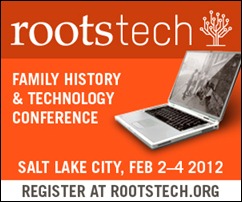
300x250_box As a RootsTech 2012 official blogger, I am happy to announce that I have a free registration to give away for the RootsTech 2012 Conference in Salt Lake City, February 2-4, 2012.  So I’m holding a little contest here and the winner will receive the free registration. 

Please only enter if you intend on going to the conference.  The contest runs through 8PM (Central) on Friday, November 18, 2012.

How to Enter

Besides access to records online, what one tech-thing has helped you the most with your genealogy research and how has it helped you?  Is it your favorite genealogy software?  How about your digital voice recorder, digital camera, or scanner?  Is it social media or web-based collaboration tools?  What about tools such as word processing programs, spread sheets, note-taking applications, or photo editing software?

Entry Instructions

  1. Email your entry to genblogjulie@gmail.com.
  2. Use “RootsTech Contest” in the subject line. 
  3. Include your first and last name in the email.
  4. Your answer must contain both the “what” and “how” in order to be eligible.  Entries that do not have the required components will be disqualified.
  5. Only one entry per person will be accepted.  Enter only if you intend on attending the conference.

Rules

  1. Contest ends at 8PM (Central) on Friday, November 18, 2012.  Entries received after that are not eligible.  Only one entry per person will be accepted.
  2. Entrants must follow the Entry Instructions listed above in order to be qualified for the drawing.
  3. One (1) winner will be drawn at random from the qualified entries after 8PM (Central) on Friday, November 18, 2012 and will receive a free registration for the RootsTech 2012 Conference (this does not include travel expenses, accommodations, etc.).  The winner will be notified by email.  An announcement will be posted to GenBlog on Saturday, November 19, 2012.
  4. Your name and email address will be kept private.  The winner’s contact information will be sent only to the RootsTech folks for notification of the winner.  I will contact the winner by email.  Only the name (and website or blog address, if desired) of the winner will be posted on my blog announcing the winner.
  5. If I like the commentary in your entry, I may contact you to ask permission to use it in a blog post, with credit of course.

Good luck!  And don’t forget to pass the good word on through Facebook, Twitter, Google, etc.


Share/Bookmark

Friday, November 11, 2011

Flip-Pal Simple Gifts Blog Hop – Using the Stitching Software

Last weekend, I started to experiment with my new Flip-Pal Mobile Scanner.  And although I’ve not been able to do much with it this last week (been away for a few days) I have been thinking about what “gifts” I’m going to work on.  I’ve had a few ideas in mind, but hadn’t really committed to any of them.  Since this Blog Hop ends on the 25th, I figured I’d better commit to something, which I will start posting about soon.  In the meantime, I put together a demonstration of how to use the stitching software, which stitches together multiple scans into one piece. 

In this example, I scanned a large, framed cross-stitch that my mom did back in 2003.  I took 12 scans and used the software to put it together into one image.  All I have to say is WOW!  I’ve recorded the whole process in real-time so that you can see not only how quick it is, but that I’ve not altered the image in any way…it really does a fantastic job!

Be forewarned, this is my first-ever video of any kind.  But I think it turned out pretty darn good in only 2 takes!  So not only was I experimenting with the scanner, I played around with the video capture feature in SnagIt.  This may have opened up a new avenue for me with my how-to blog posts.

If you have trouble loading it, you can view it directly from YouTube, here.


Disclosure:  I was selected to participate in the Flip-Pal Simple Gifts Blog Hop and by doing so I received a Flip-Pal™ Mobile Scanner to evaluate.  The links in my blog posts to the Flip-Pal™ Mobile Scanner website are NOT affiliate links; that is, I don’t make any commission if you hop on over from my blog posts to buy one.  And like anything I review, whether there in an incentive for me or not, I am always fair and honest.


Share/Bookmark

Friday Finds – 11/11/11

Weekly column sharing genealogy-related things that I’ve found.

New-to-Me Blogs

Online Articles/Posts

Websites

  • New Illinois Adoption Law (I’ve written posts about this before, but since November 15th is right around the corner, I figured I’d post it again.  On November 15th, adult adoptees born after January 1, 1946 can now request the original copy of their birth certificates.  Those born prior to January 1, 1946 have been able to do this for about a year.)

Share/Bookmark

Friday, November 4, 2011

Share Your Idea for 10% Off Flip-Pal™ Mobile Scanner

As I mentioned earlier this week, I am participating in the Simple Gifts Blog Hop sponsored by Flip-Pal™.  Things have been so crazy this week, I’ve only been able to play around with the scanner for about an hour.  I hope to get started on one of my projects this weekend, so look for a blog post or two next week.

Flip-Pal™ is offering 10% off on the purchase of a Flip-Pal™ mobile scanner.  To receive this coupon code, head on over and submit your idea for using the Flip-Pal™ to create a Simple Gift.


Share/Bookmark

Friday Finds – 11/04/11

Weekly column sharing genealogy-related things that I’ve found.

New-to-Me Blogs

Online Posts/Articles

Printed Articles

  • “Give Your Pedigree the Royal Treatment: Researching Noble Lines,” by Eugene A Stratton, FASG, Ancestry, Nov/Dec 2000.  You can read this online through Google Books.
  • “The Mystery of Frederick Ecker’s Letter,” by Doris J Woodward, Ancestry, May/Jun 2003.  You can read this online through Google Books.

Websites


Share/Bookmark

  © Copyright 2008~2011. All rights reserved.

  © Blogger template 'Minimalist E' by Ourblogtemplates.com 2008

Back to TOP